Deckhand
Streamlining the reporting flow and onboarding for a legacy system.
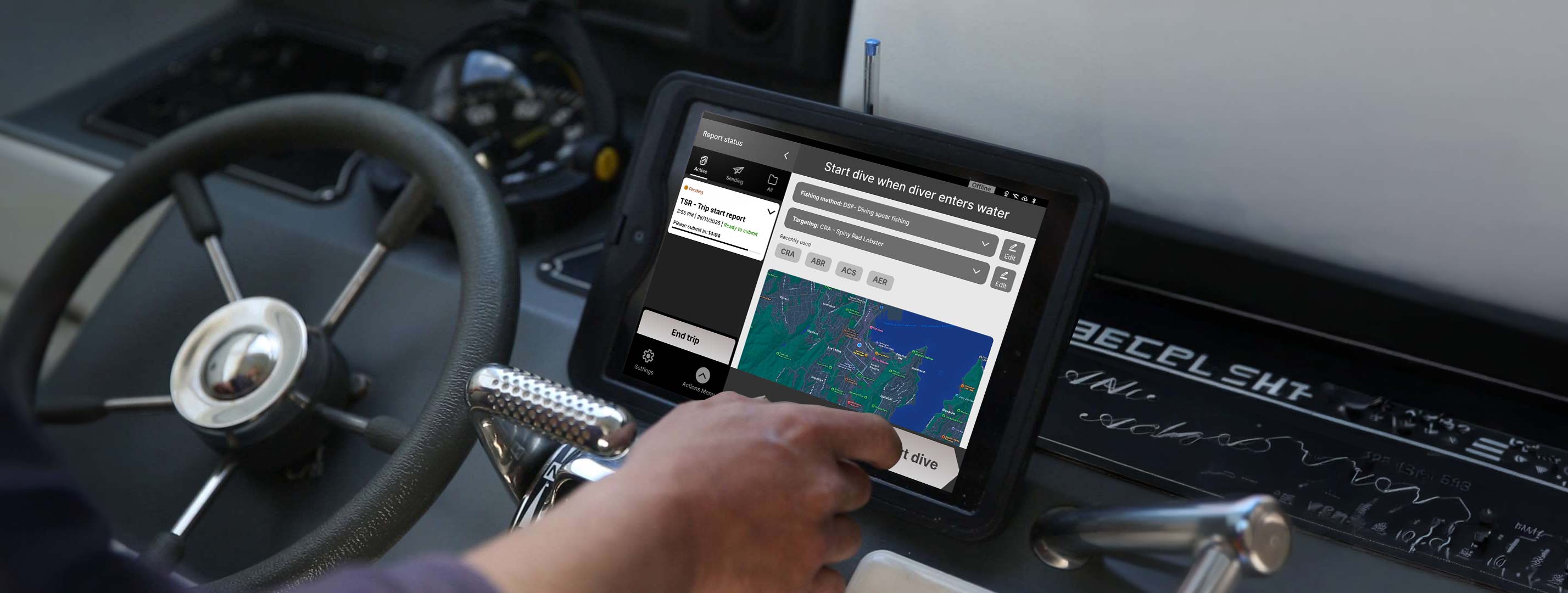
Deckhand is an electronic logbook that allows fishermen to report catch, trip activities, and location data to the NZ government.
PROJECT SUMMARY
Background: We collaborated with Dragonfly, a data science company that manages the data sets for Deckhand.
Challenge: To reduce the amount of support calls, then later expand into onboarding as a business opportunity.
My Role: I collaborated closely with the stakeholders and fishermen to define the problems in the flow and worked on the end to end design process.
Team & Timeline: 4 UX design students, 5 weeks
Problem
The reporting flow was complex, error-prone, and hard to recover from, driving heavy reliance on customer support and increasing operational cost.
10+
calls
per day
1hr
minimum
call duration
2
customer support
staffs
400$
fines for errors
in reports
Project goals
Reduce avoidable support calls.
Improve clarity of workflow status and next steps.
Make key actions easy to find and understand.
Support faster error reporting in real conditions.
Design process
Product tear down: Found usability gaps and constraints.
Usability testing: Validate key friction points for the current state.
Service blueprint: Mapped user actions, flow and support touch points.
User interviews: To understand mental models and real-world constraints at sea.
Low-fi designs: Explored multiple ideas for simpler reporting flows.
Comparative usability testing: Tested concepts side by side to validate assumptions
Final concept: Refined the strongest direction.
Understanding the current experience
Current state usability study
We found multiple usability issues with the product.
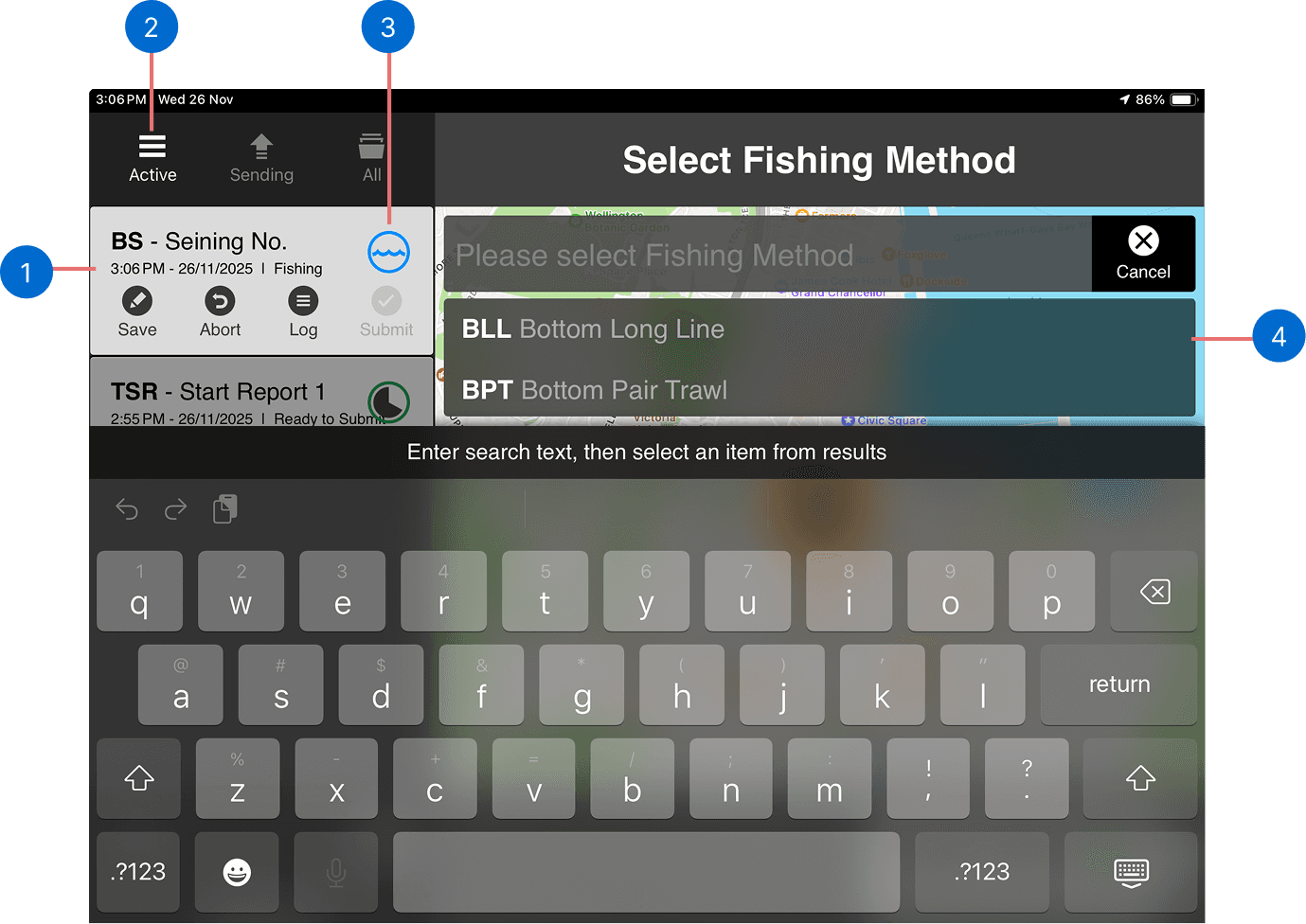
1
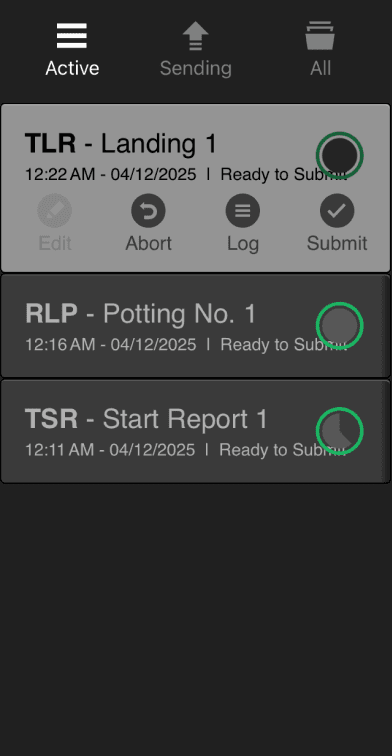
Users found it difficult to understand which report is active and what stage of completion they are in.
2
Users interpreted the ‘Active’ icon for hamburger menu.
3
Icons are used without supporting text, making them hard to interpret.
4
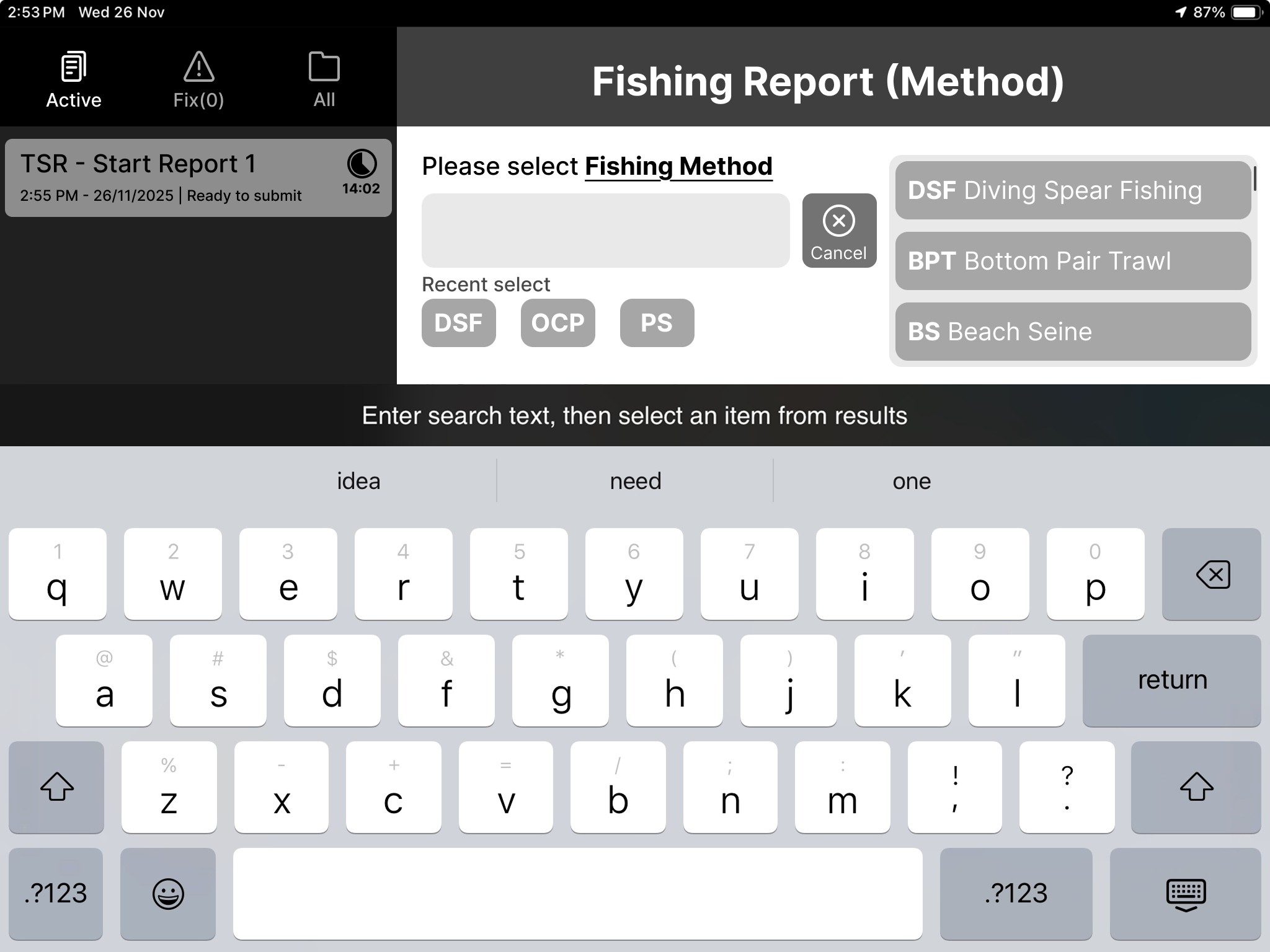
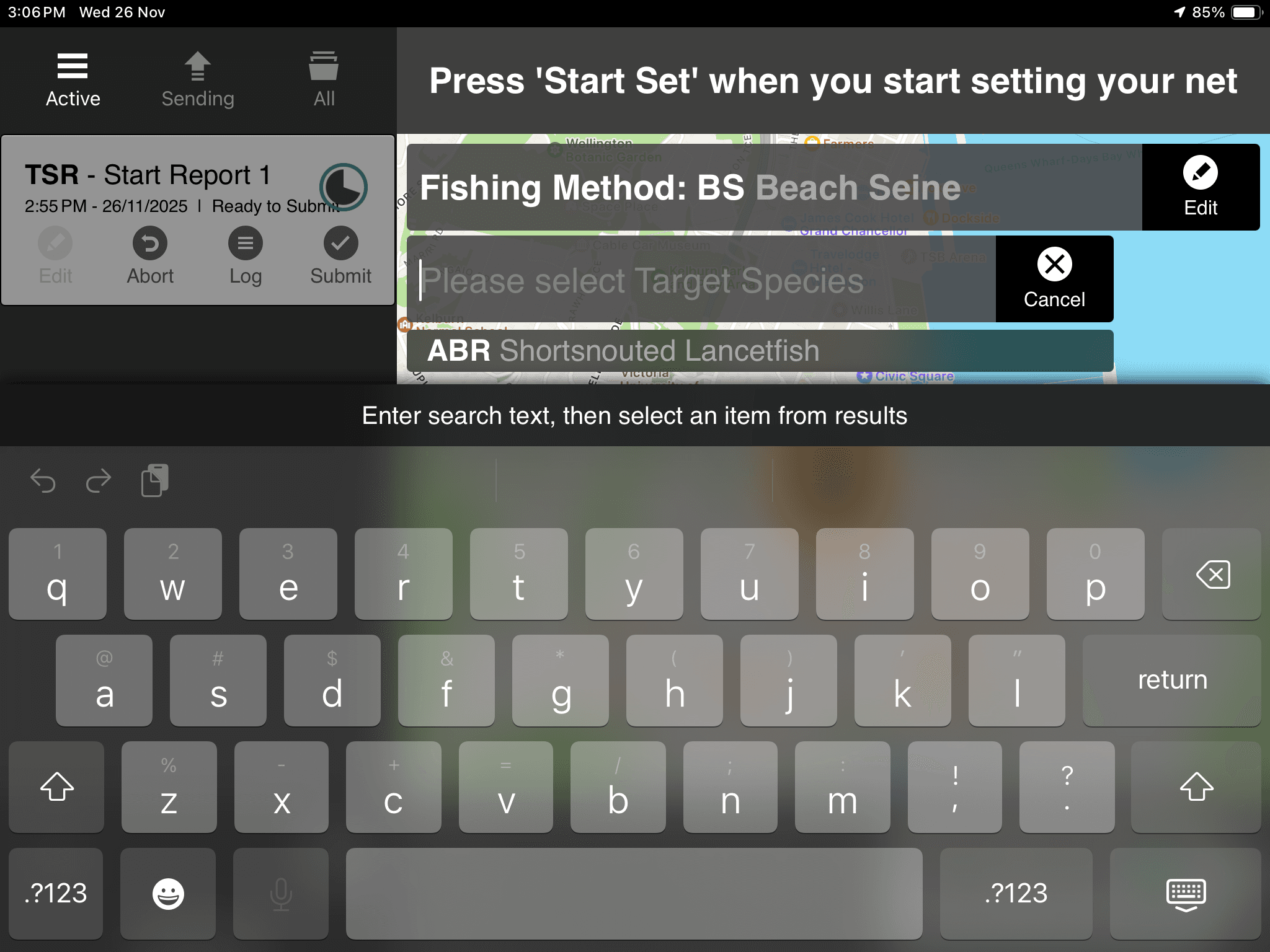
The scrolling area for the selection field was obstructed by the keyboard.
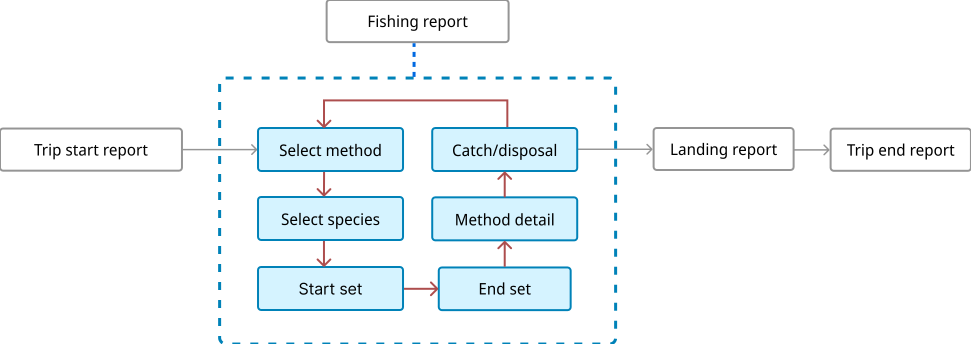
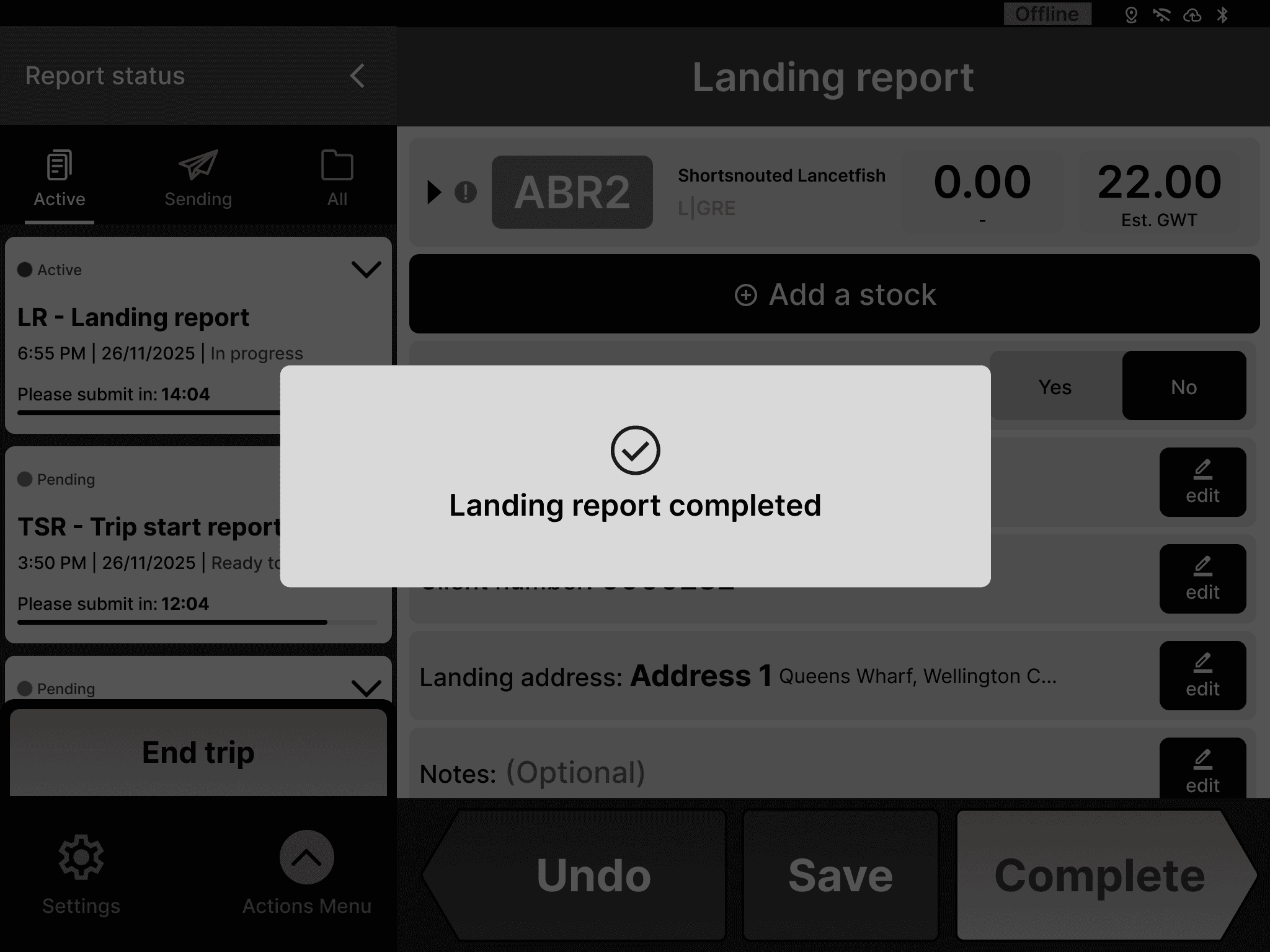
Lack of confirmation screen caused users to return to step one after submission making it unclear whether the report was complete.
Key insights from interviews
Result
Customer service team provided us information with the recurring problems.
Fishermen helped us understand the real world issues at the sea.
Fishers struggled with hidden gestures, unclear user flows and unlabelled icons resulting in steep learning curve and limited error recovery methods when stuck.
Insight 1
The app uses icons without labels which makes it hard for users to communicate the symbols to the customer support team.
F11-s, F8-f, F16-s, F10-f, F5-f, F8-t
Insight 2
Due to lack of an onboarding process, the older fishermen found it difficult to transition from paper to e-logbooks.
F7-f, F8-f
Insight 3
Seasonal system errors and logbook expiries can block fishers from logging data at sea, putting pressure on both fishers and customer support to
resolve it quickly.
F11-s, F8-f, F16-s, F10-f, F5-f, F8-t
Insight 4
Once catch data is submitted, any errors must be corrected externally. This creates an additional layer of work, making the correction process slow and inconvenient for fishermen.
F11, F8-f, F16, F5-f
*The alphabets and numbers indicates individual findings from users which helps to track exactly where the insight comes from.
Design decisions
Low-fi concepts
We focused on how users can complete the report faster by adding:
Recent selections for fishing methods
Saved addresses for landing.
App info and FAQs for troubleshooting or when reaching out to customer support.
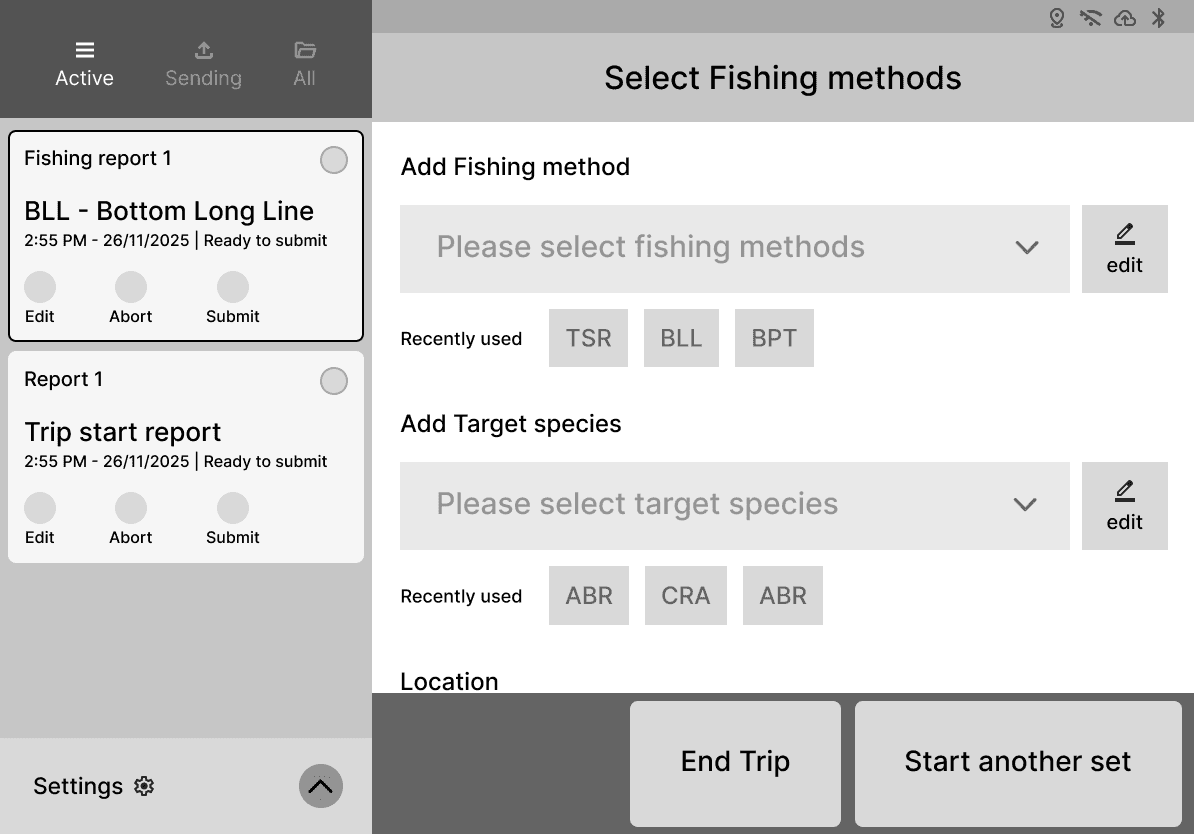
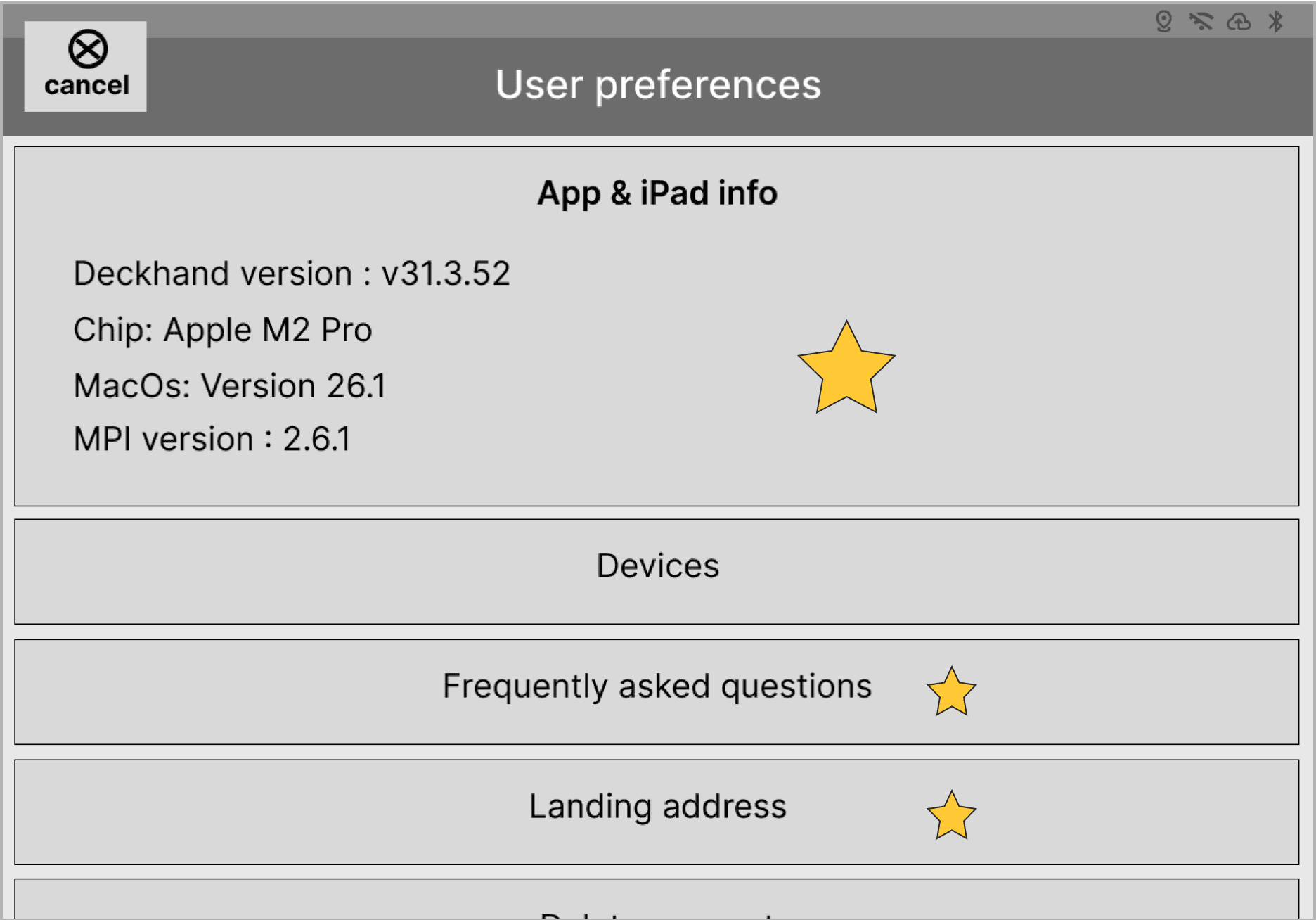
After performing a quick usability test with our low-fi concept we found:
Users couldn’t easily tell reports apart or track progress.
The circular timer confused users, with some mistaking it for a report progress indicator.
Comparative usability testing
Due to limited access to fishermen, we tested 3 concepts with 3 Dragonfly employees who where new to Deckhand. The testing focused on reporting panel, timer and report status.
Concept 1
This version explored different ways to enter data, while accounting keyboard as a major constraint for space.
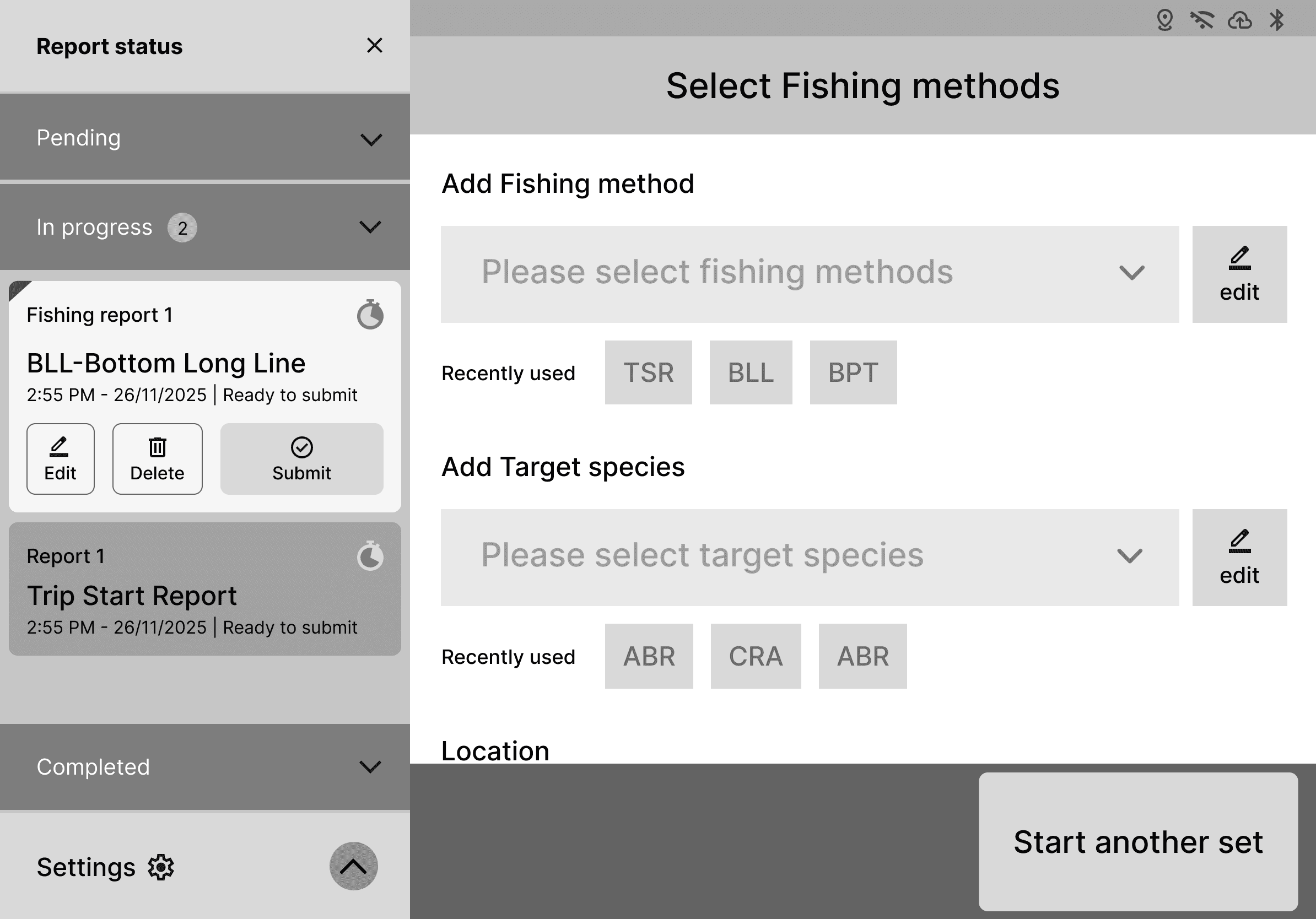
Concept 2
This version focused primarily on redesigning the sidebar and report completion.
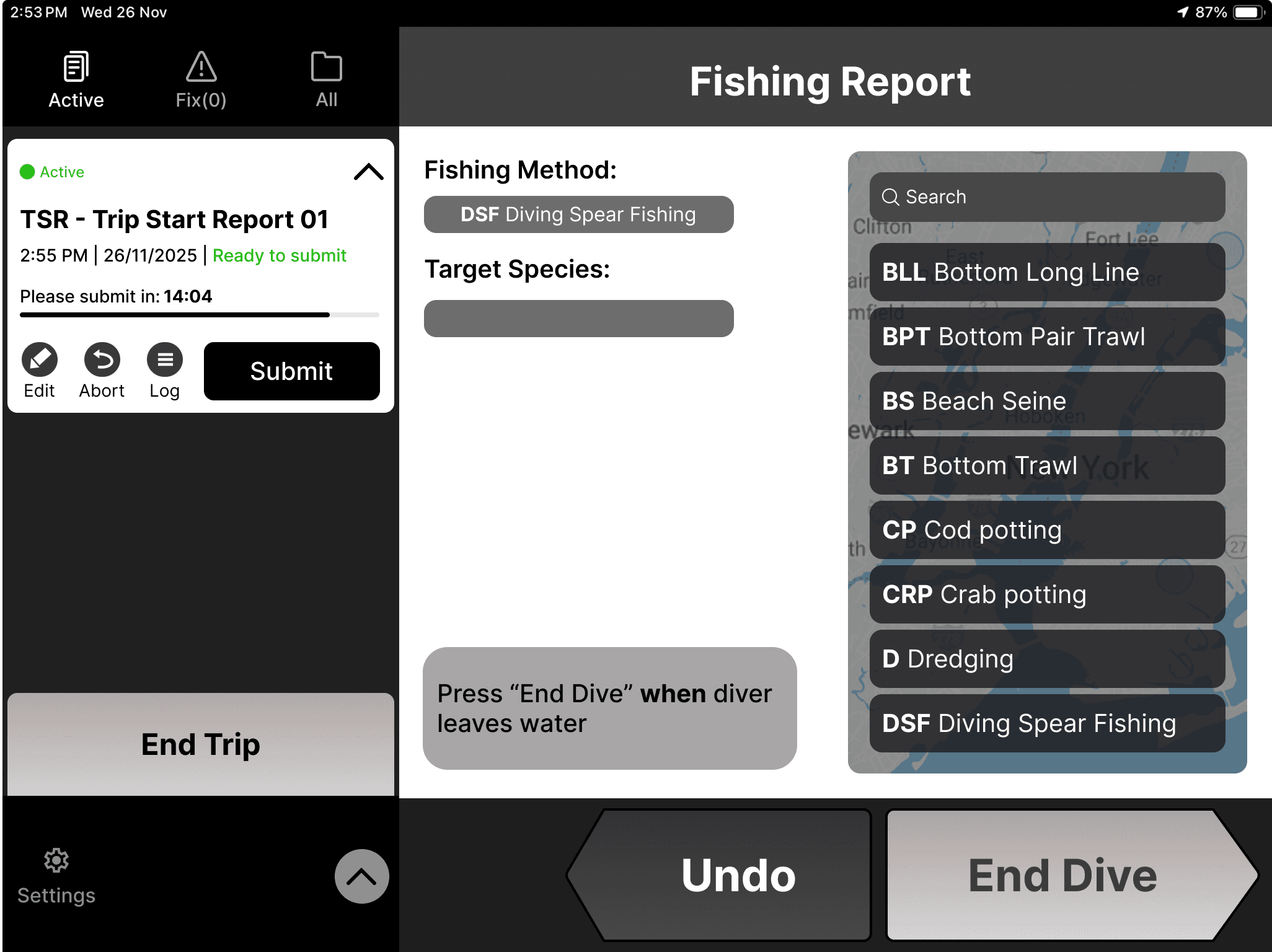
Concept 3
In the third version, we explored ways to display text fields within the dropdown menu and introduced a progress-bar-style timer to indicate the remaining submission time.
What we found?
Shortcuts and hint can efficiently improve the user experience, especially for some repeated tasks.
Keyboard was still a challenge with elements being hidden behind it.
Timer as a progress bar on the concept 3 had the most positive feedback.
Results
Mid-fi -Final concepts
Before
After
Problem: Keyboard obstructing the selections on the drop down menu.
Solution: The keyboard is hidden on scroll to reveal more options and on click it pops back.
Before
After
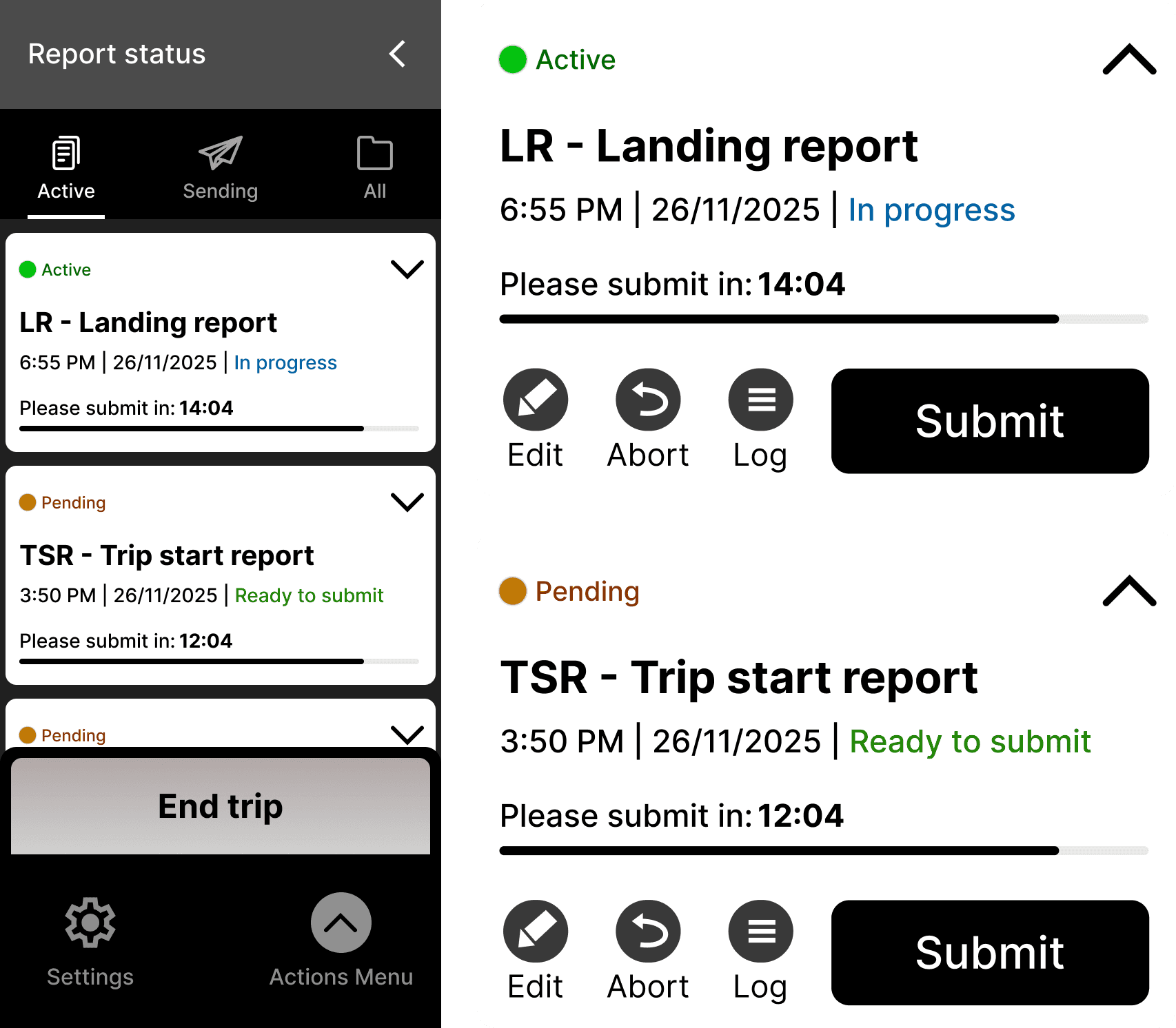
Problem: Users struggled to figure at what stage of the reporting process they are in and circular timer.
Solution: We clearly presented the state of the report and a timer that let's users know they the remaining time for report completion.
Success screens
Error prevention
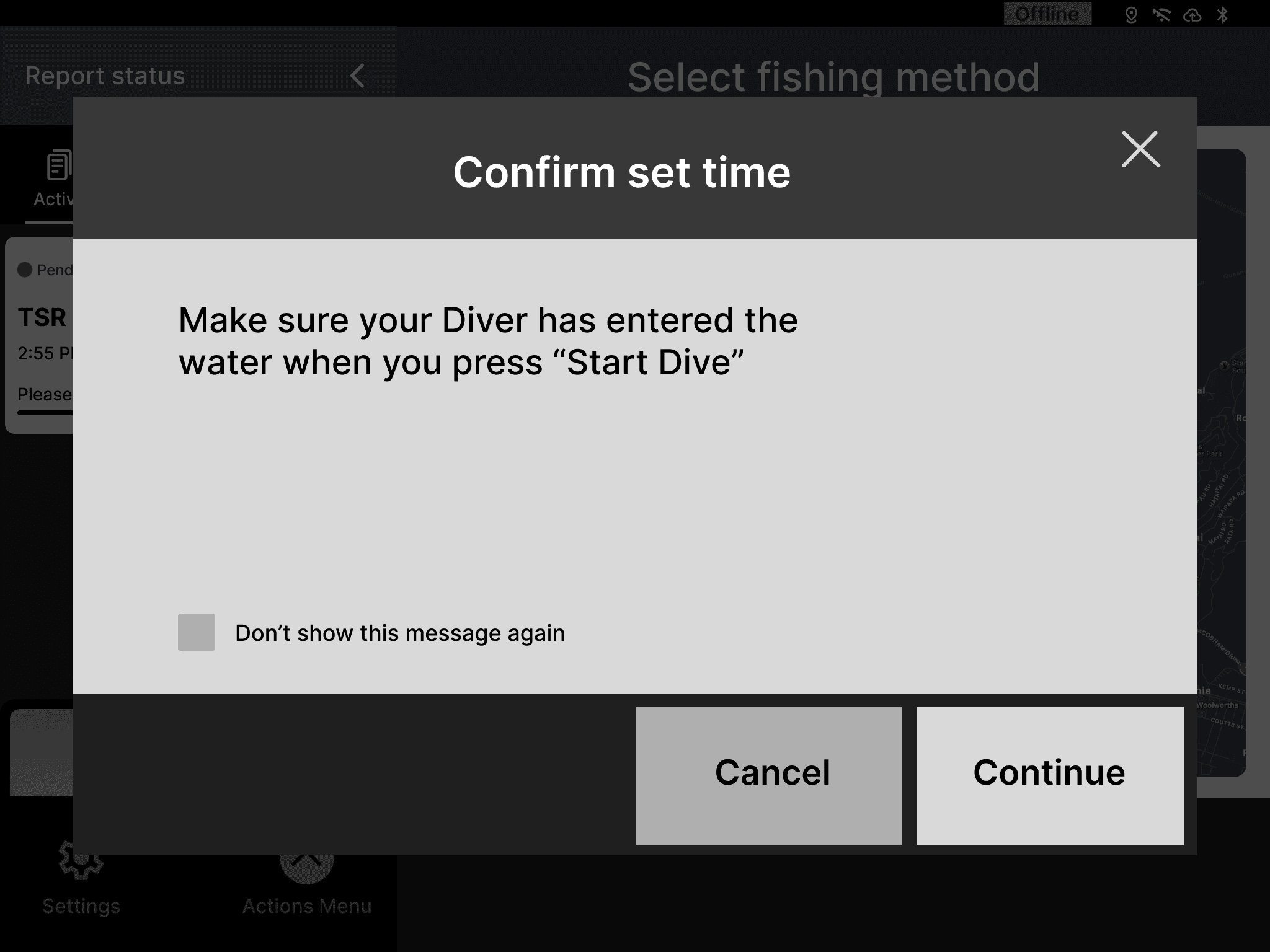
Change of project scope
Context for onboarding
eCatch is Deckhand’s main competitor, but with 3G getting shut down and 4G barely reaching offshore, its online reporting model becomes unreliable, pushing fishers toward Deckhand’s offline setup instead.
Goals
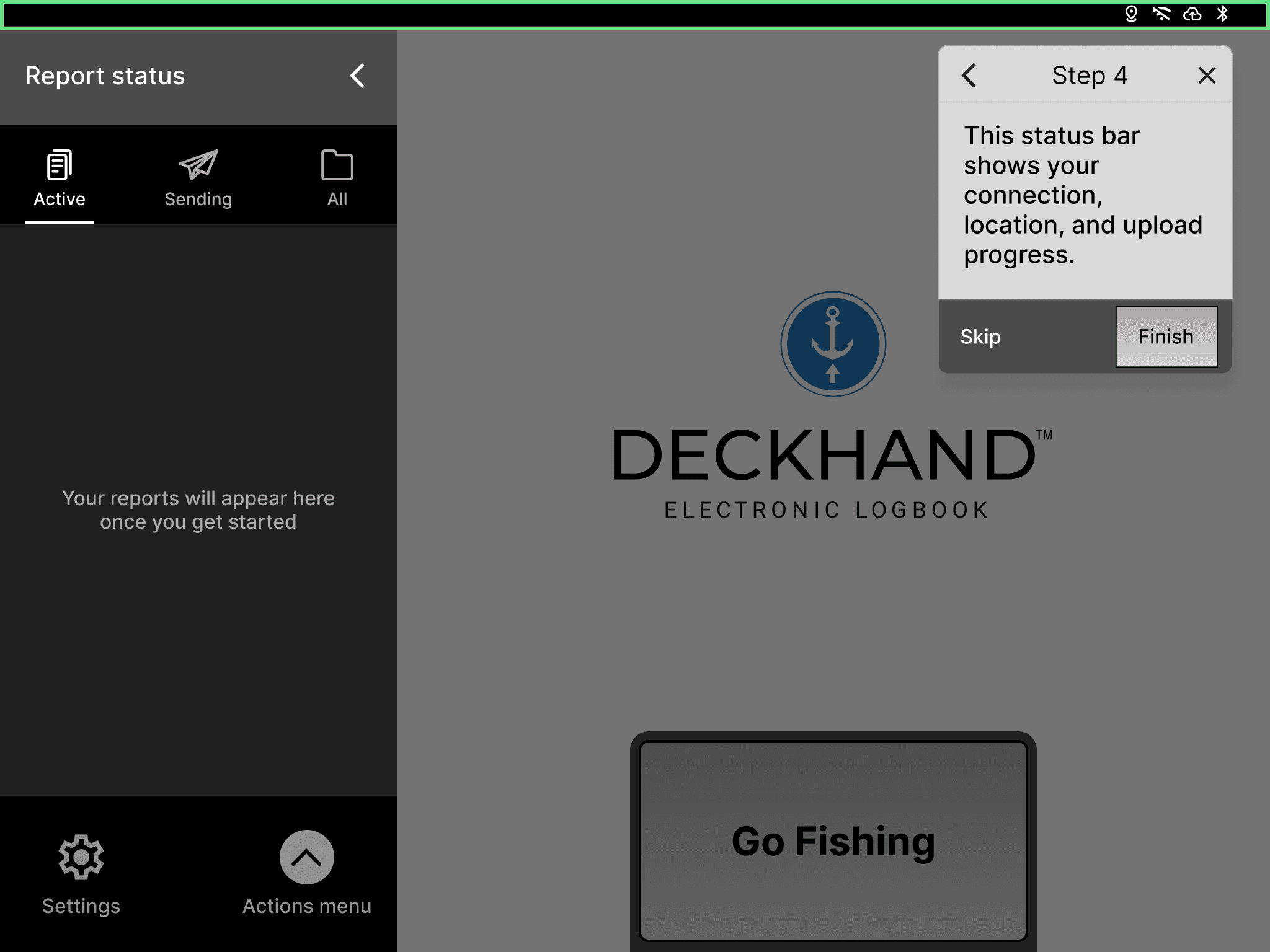
Give users a quick understanding of how reporting works.
Idea : Onboarding consisted of introducing the reporting flow in 4 simple steps.
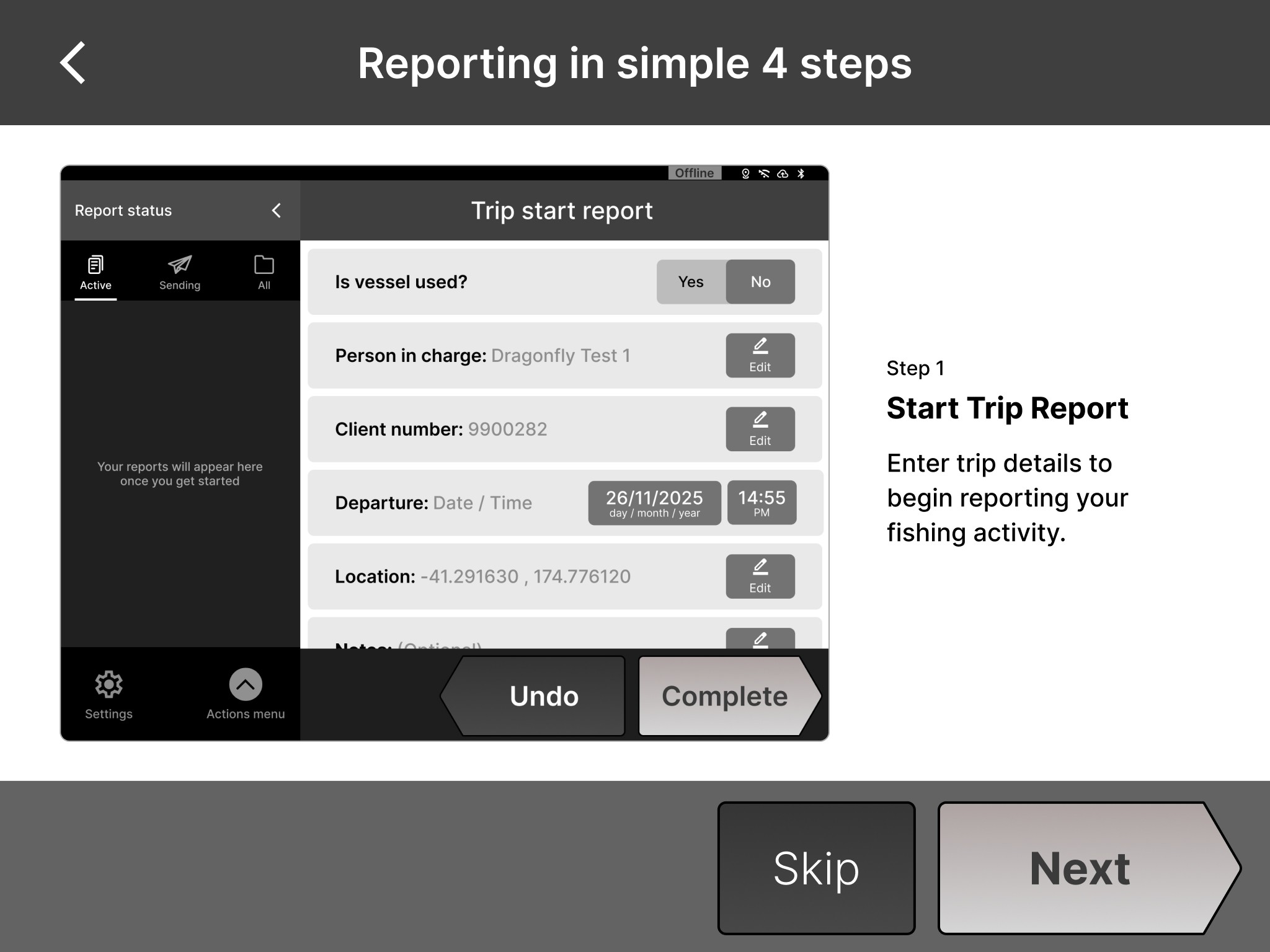
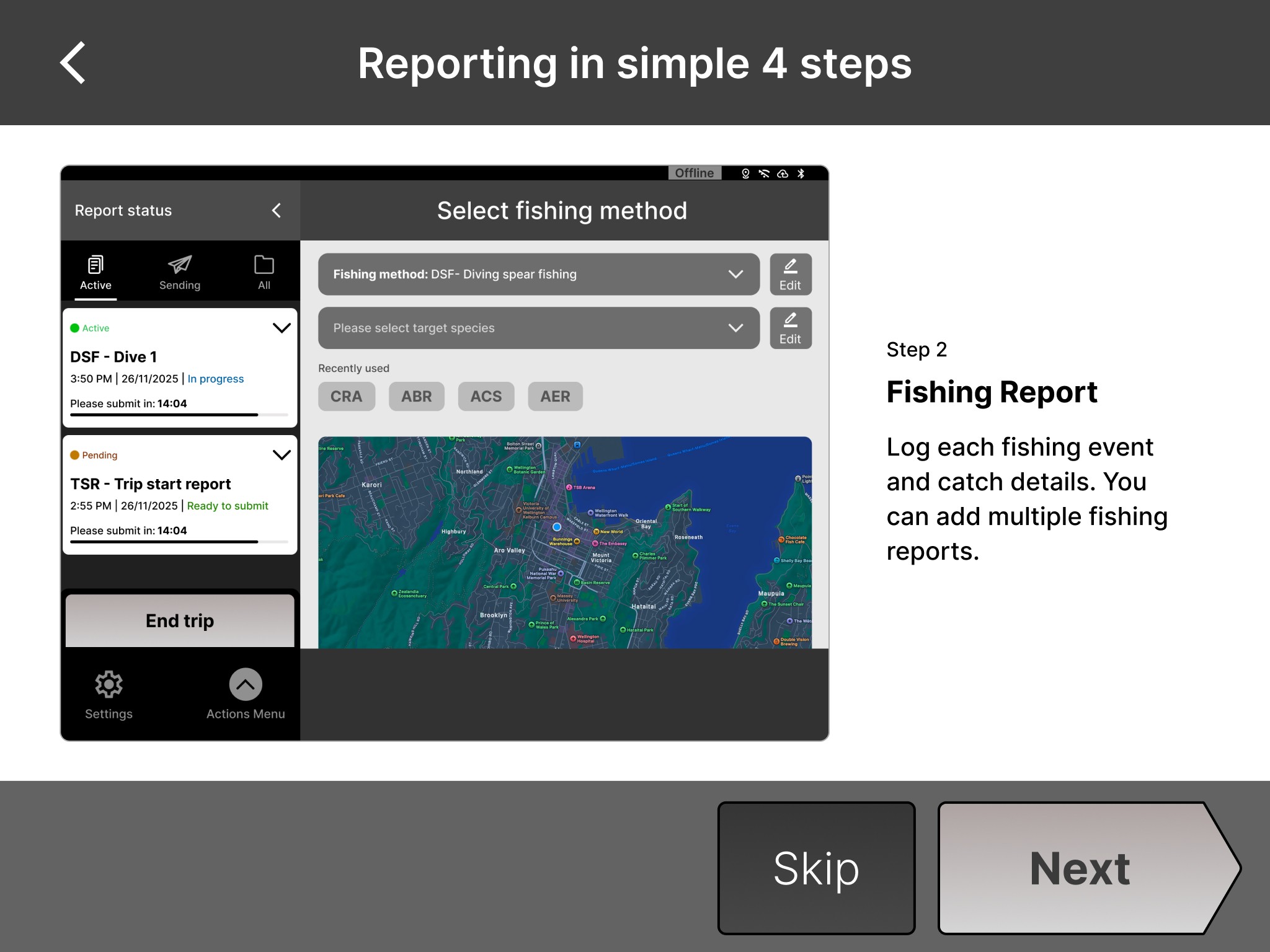
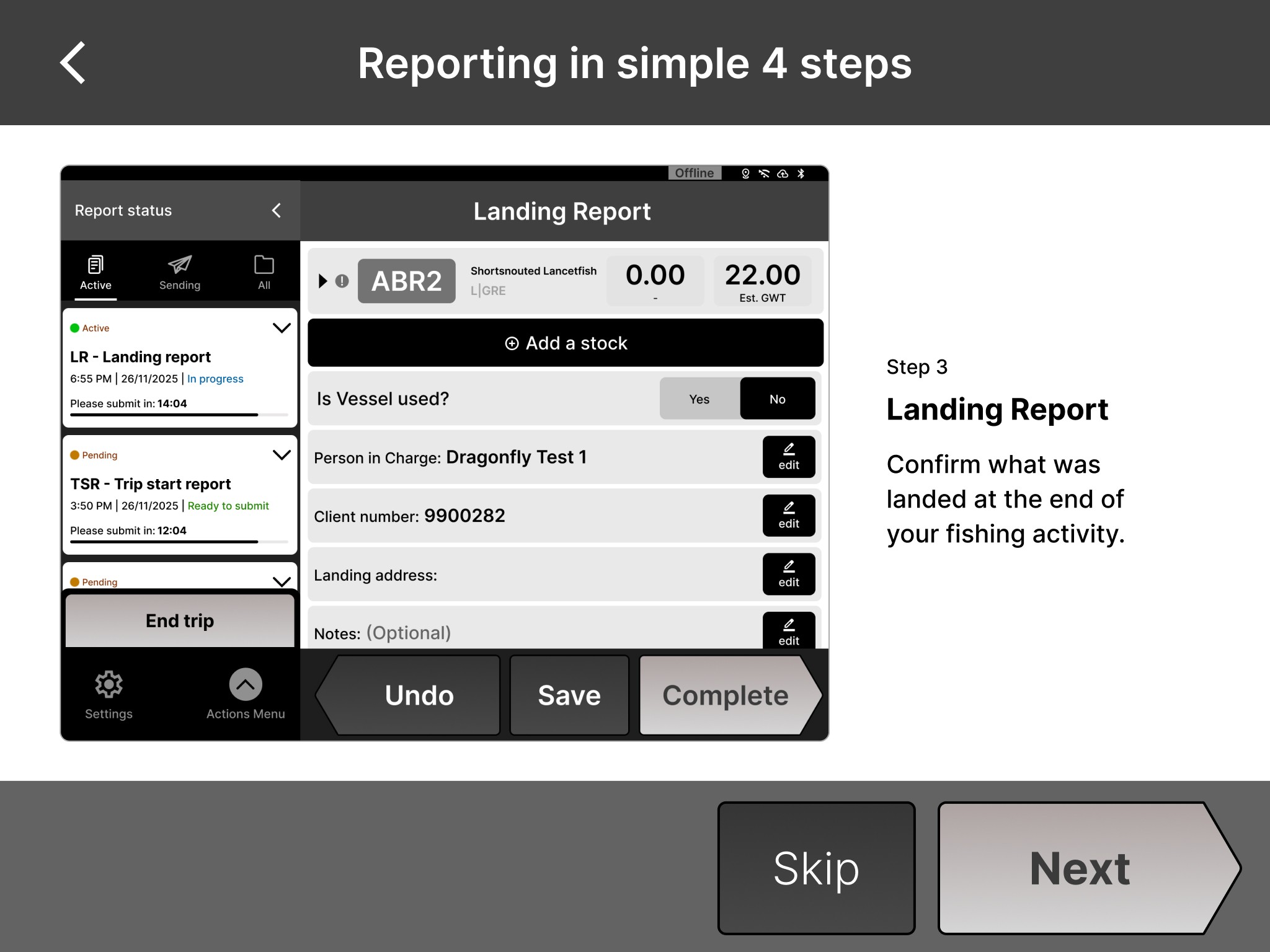
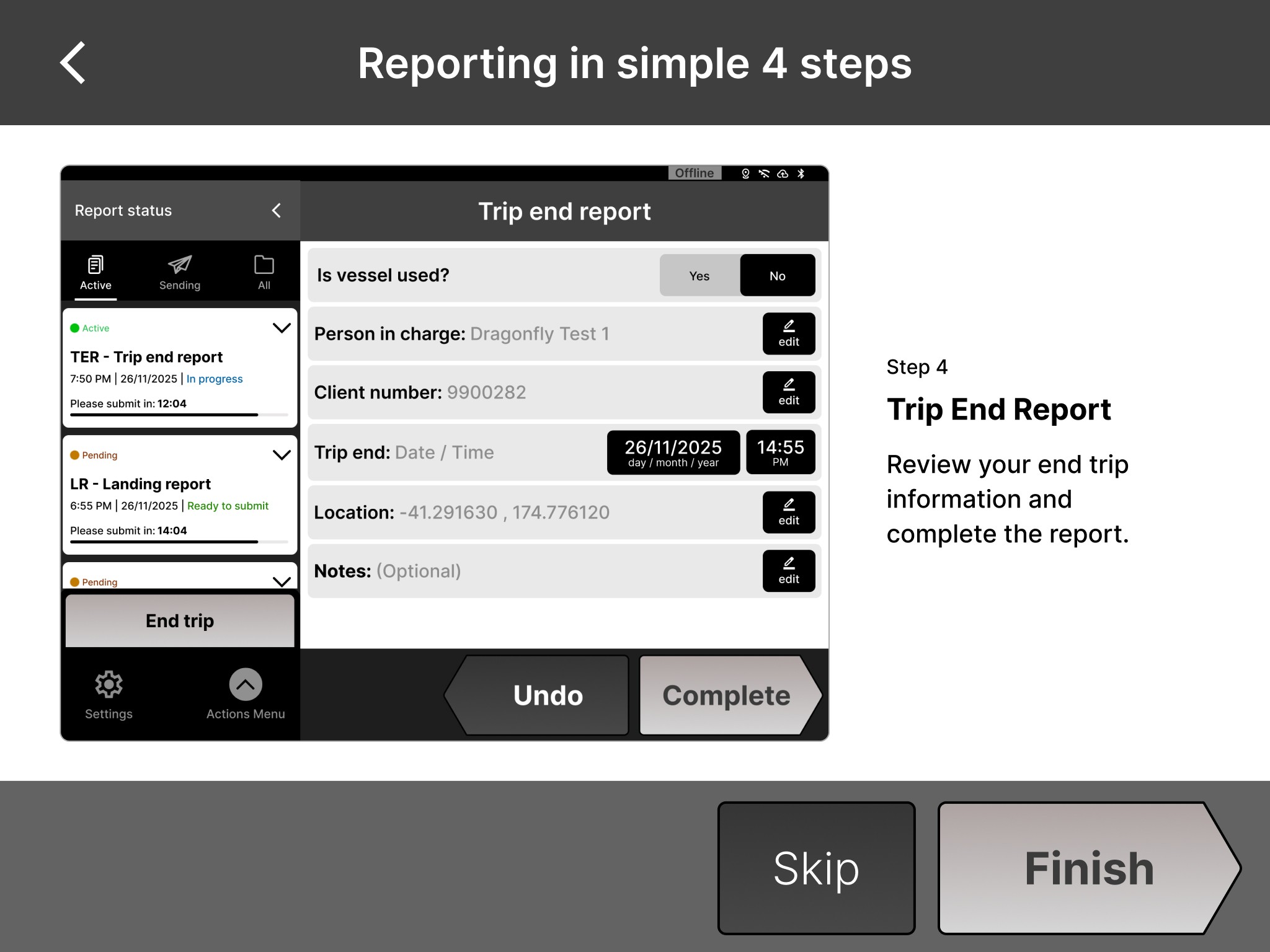
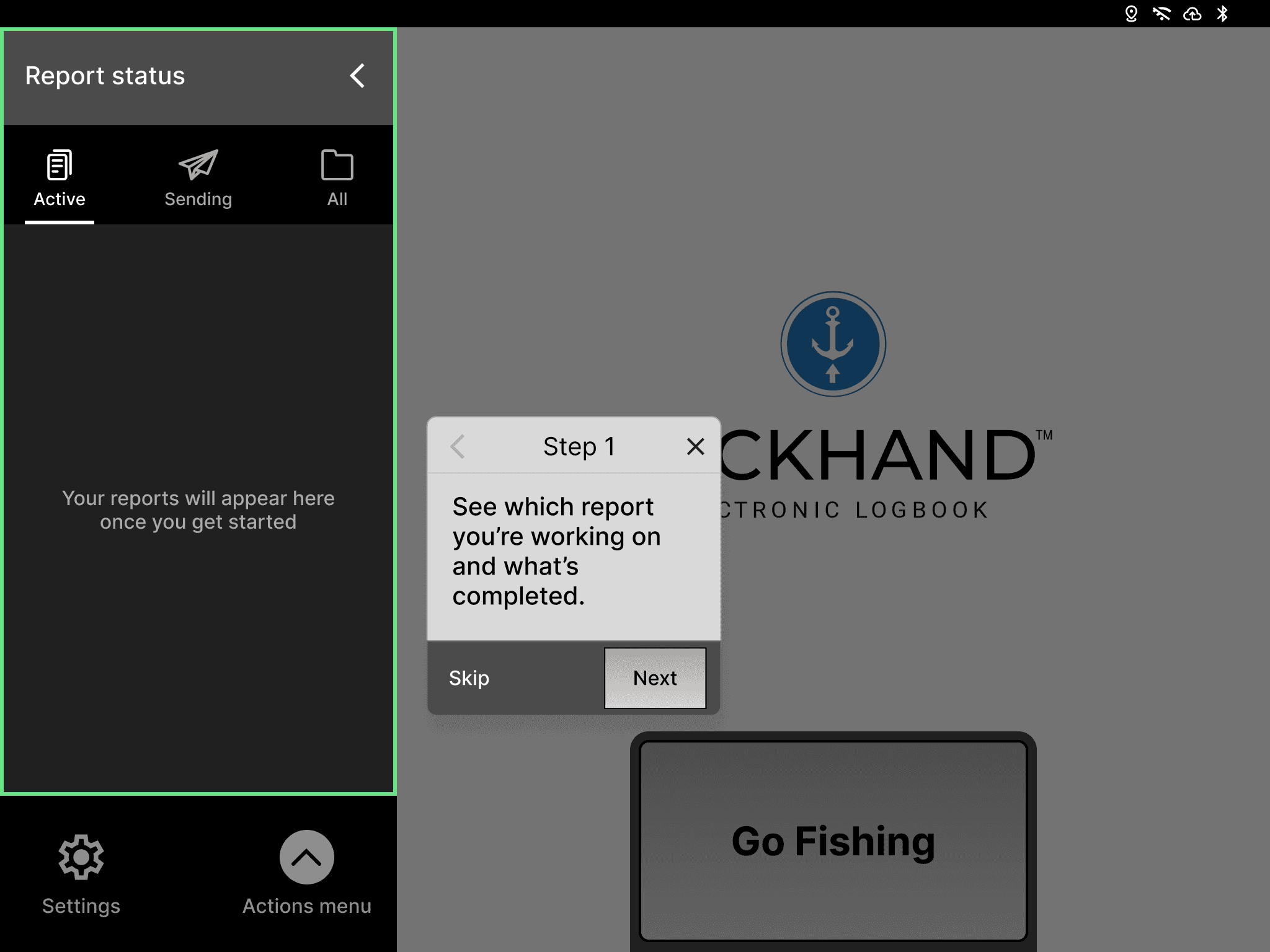
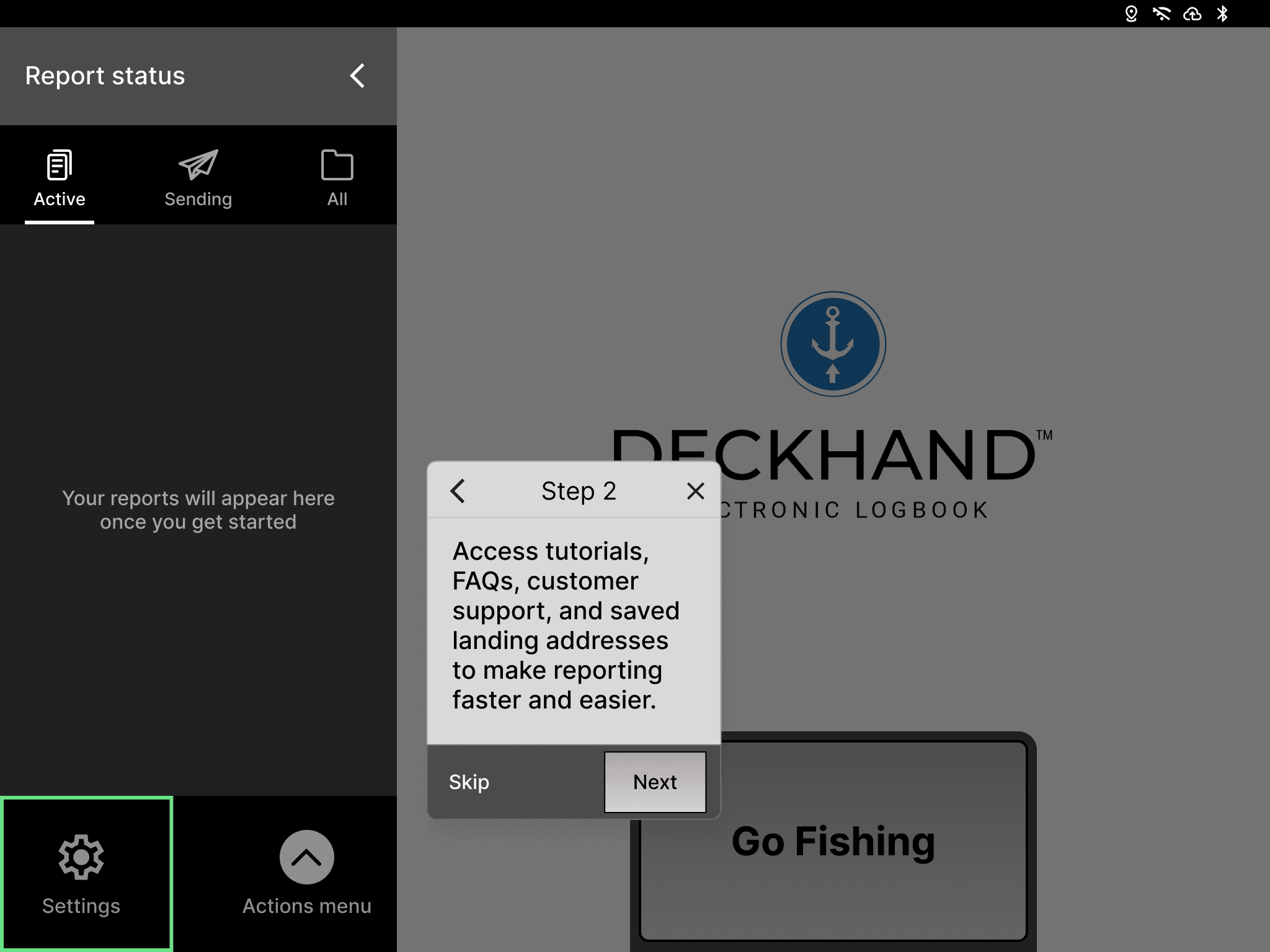
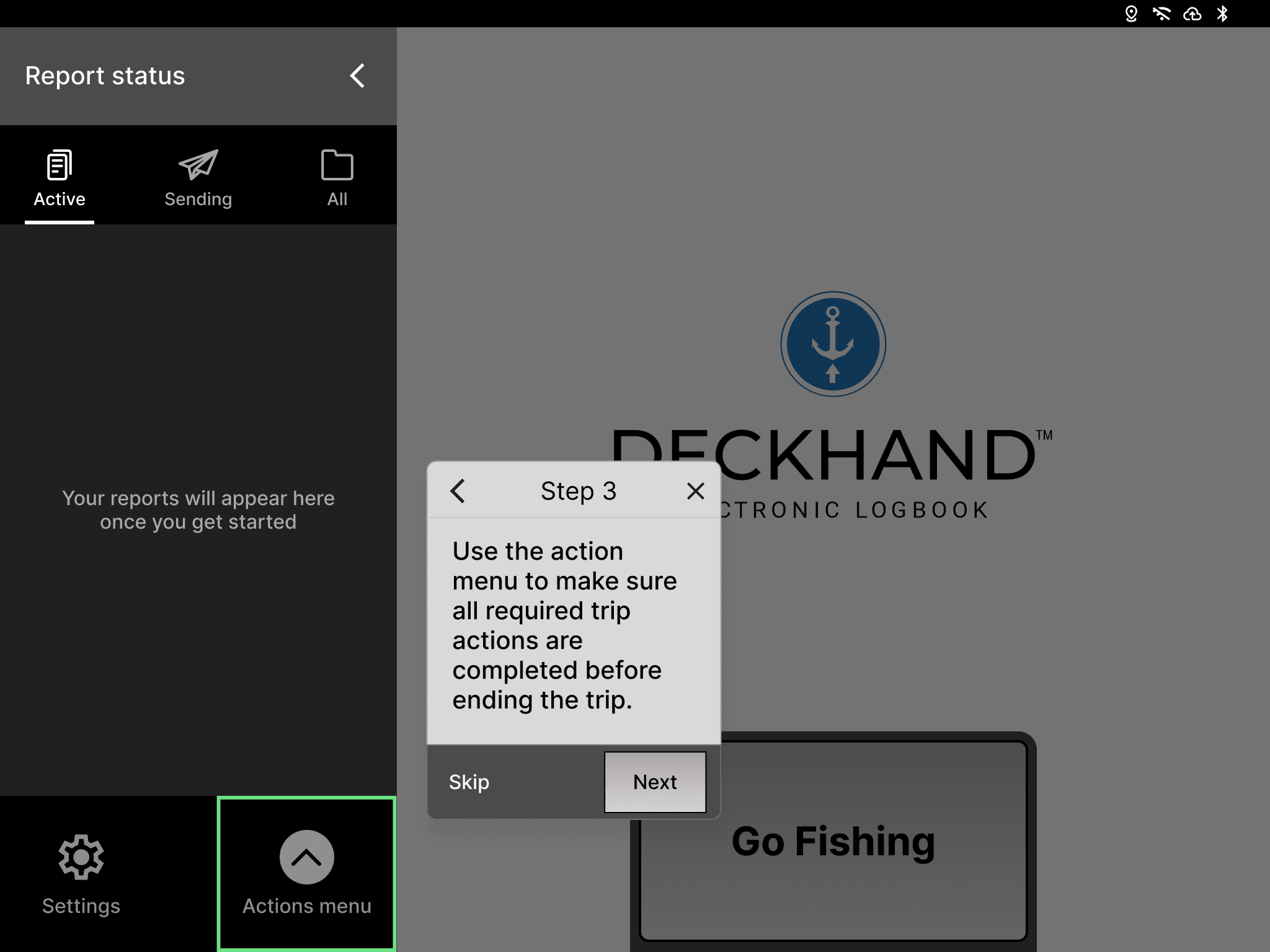
In the second half of the onboarding users are taken through the UI elements in a progressive manner, helping them understand each element and its function.
Learnings & Trade offs
Discoverability vs UI space: Adding visible controls like End trip button and status indicators made the UI busy, but we prioritised helping users quickly understand their progress and system status over maintaining minimal design.
Usability over visual improvements: We mainly focused on the core usability structure for the app even though we where constrained by the existing system design.
Error prevention : Confirmation, success screens and reviewing of reports added extra steps but helped users catch errors before submission.
Value of cross function research: Talking to customer support teams early helped us point in the right direction of the problem, combined by interviews with fishermen gave us real world insights.
Project challenges
Deckhand is an iPad-based app, but it doesn’t adhere to any of the rules or interactions principles of the iPad system.
We had to consider existing users and avoid making drastic changes to the product, which meant exploring multiple solution options.
The fishermen where not accessible so usability testing was mainly conducted with Dragonfly staff. Therefore some of our findings may not reflect real world usage scenarios.
Designed under the influence of 'one last tweak'.
©2026 Rohit Mohan